
gatePass.ai – Help Center
How to raise an account deletion request?
When a resident moves out of a flat and is no longer residing in a society using gatePass.ai, they can submit an account deletion request. This request permanently removes all associated personal data from the gatePass.ai platform, ensuring their information is completely deleted from the system.
Please raise the account deletion request directly from the app by following these steps:
Follow these steps:
Step 1: Open the GatePass.ai app and tap the menu icon (☰) in the top-left corner.
Step 2: On the Profile screen, tap the Settings icon in the top-right corner.
Step 3: Tap Delete Account.
Step 1
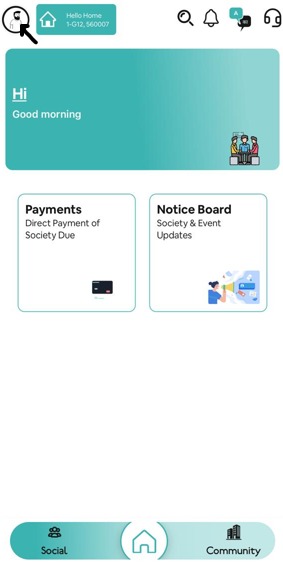
Open the app and tap the menu icon (☰)
Step 2
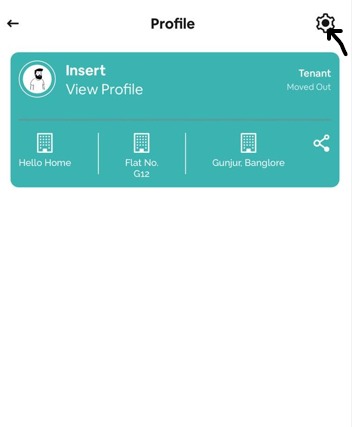
Open Profile and tap Settings
Step 3
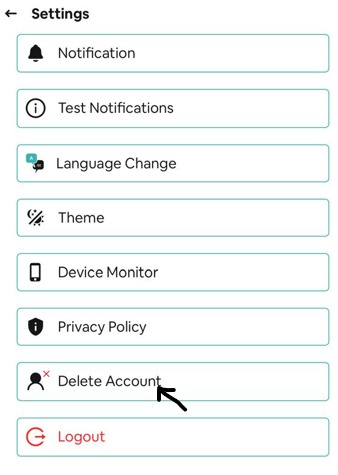
Tap Delete Account